Updated on May 4, 2026
On this page you will find the improvements and new features of TerraIndex released in April.
Below you will first find the highlights of this release.
Scroll down for the full overview of all improvements and changes.
Highlights
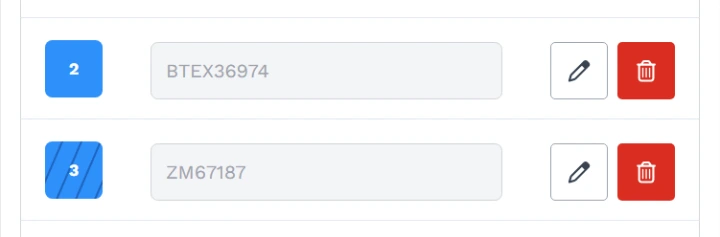
Environmental Field: visual indication of filtered bottles
A visual indicator has been added to show whether a bottle is filtered, giving you a clear overview at a glance.
Environmental Field: skip first layer
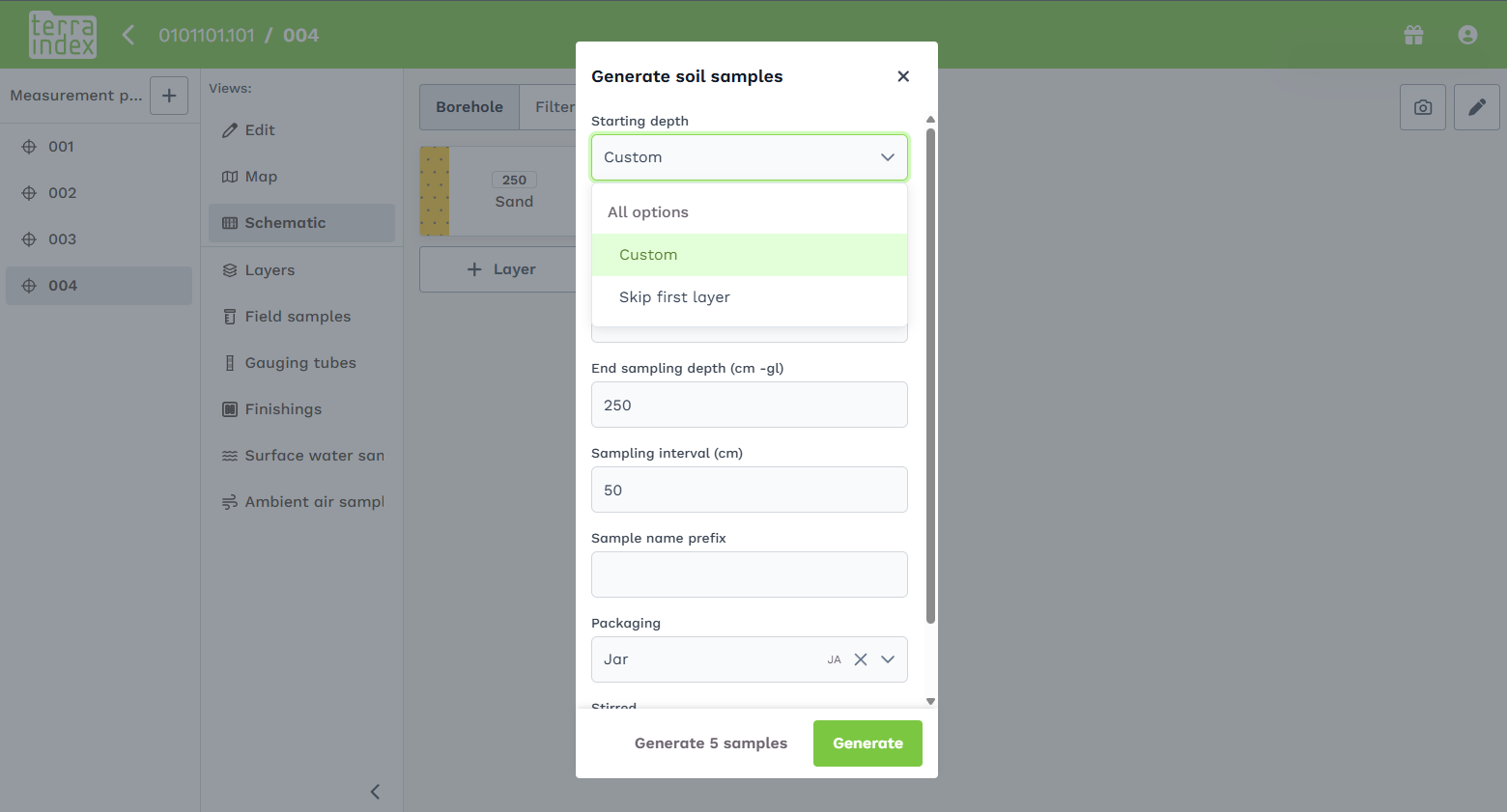
When creating multiple soil samples, you can now choose to skip the first layer. Useful when the top layer is not relevant for sampling.
Archaeology Field: additional media fields
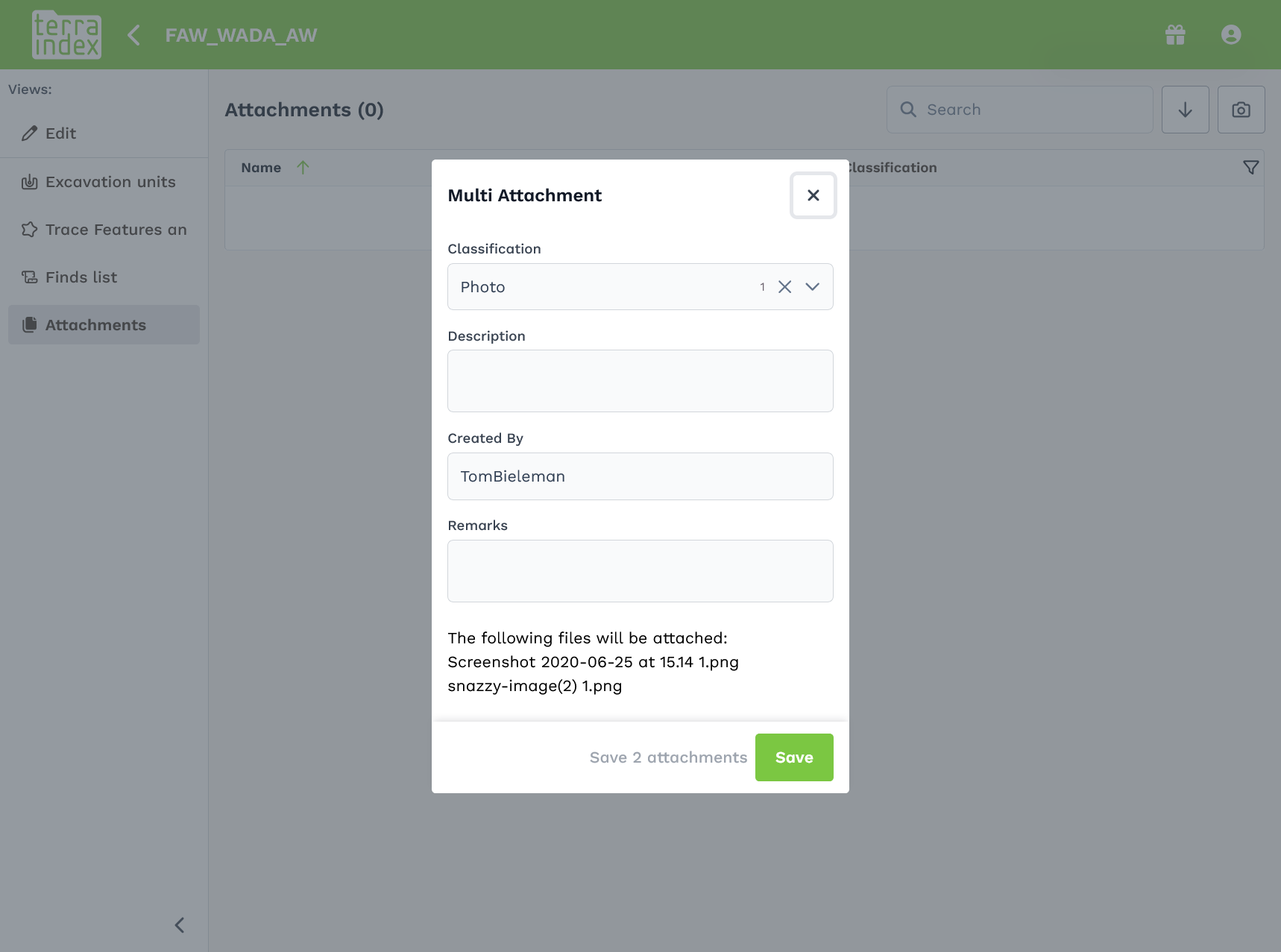
Additional media fields have been added in Archaeology Field.
Full overview
Newly added:
Environmental Field
- Visual indication of filtered bottles
- Ability to sign samples and measurement points at scale
- The last stable series from water samples is now automatically applied as stable values
- Option to automatically skip the first soil layer
- Zoom buttons added to the map
- KML layers with long names are now readable across multiple levels
- Asbestos icon is no longer shown in schematics when no asbestos is detected
- Soil layers are now shown in schematic views for monitoring wells
- Improved handling of long sync sessions by the server
- New field: contact type for related contacts
- Ability to download photos locally before they are uploaded
- Ability to download individual photos
Archaeology Field & Office
- Higher resolution camera (compliant with KNA requirements)
- New camera engine enabling metadata capture (e.g. wind direction, camera type, depending on platform support)
- New fields for bulk upload of documents/photos
- Additional media fields included in bulk uploads
- Sorted fields are now remembered across screens
- After splitting a feature, the screen navigates to the first split result
Technical improvements
- Underlying software has been updated
Bug Fixes:
Environmental Web
- Backend fix for fields incorrectly linked to SIKB codes
- Fixed issue in reporting module
- Fixed errors when no borehole configuration was provided
Environmental Field
- Backend fix for fields incorrectly linked to SIKB codes
- Backup system improved, resulting in fewer corrupted files
- Fixed crashes on iPads caused by memory issues when syncing many photos
- Amorphous material and peat visibility now correctly follow template settings
- Fixed barcode scanning issue after scanning all samples on iPad
- Camera switching works again in barcode scanner
- Fixed layout issues on small screens
- Invalid characters in barcode fields no longer cause sync crashes
- Fixed issue where new projects caused duplicate measurement points on server
- Fixed issue with first-time startup of TerraIndex Field
- Initial fixes for white screen issue during updates, with added logging
- Fixed coordinate issues with GPStoHTTP tool (including Z-values)
- Signatures are now stored as JPG instead of PNG
- Barcode scanner now works offline again
- Changes are now correctly synced after being removed from a project in web
- Improvements deployed for white screen issue during updates
- Photo uploads are now processed in batches for low-memory devices
- Automatic sync on startup has been disabled to allow time for backups
- Fixed errors when no borehole configuration was provided
Archaeology Field & Office
- Fixed login issues
- Fixed issue where deleted media remained visible in sidebar
- Fixed server issue with data change request reasons
- Reduced unnecessary update requests to server
- Improved stability of frontend automated tests
- Backup system fixed
- License A users can no longer send backups for license B users on the same device
- Fixed infinite sync caused by linked features in a loop
- Fixed error when opening find lists in Archaeology Office